
Updated: Sep, 2026 | By Mr. David
Google Business Profile 2026: What Actually Matters
A practical guide to Google Business Profile verification, optimization, local visibility, and the signals that matter most for businesses in 2026.
Google Business Profile is more than a business listing. It is a key part of how local businesses present their identity, location, services, contact information, and reputation across Google Search and Google Maps. In 2026, the practical goal is not simply to create or verify a profile, but to maintain accurate business information, strengthen profile completeness, and keep the business entity consistent across its wider digital presence.
That makes verification an important starting point, not the entire strategy. Once a profile is verified, businesses still need to choose relevant categories, maintain accurate hours and services, add useful photos, manage customer reviews, connect the profile with a credible website, and monitor performance. This guide explains what to verify first, what actually matters afterward, which common practices can create problems, and how to build a sustainable local SEO foundation for continued business growth.
What Actually Matters in Google Business Profile in 2026?
The most important parts of a Google Business Profile are accurate business information, correct category selection, profile completeness, legitimate verification and ownership, customer reviews, website quality, local relevance, and consistent information across trusted sources. Verification establishes that a business can manage its profile, but verification alone does not guarantee higher local rankings. Ongoing profile maintenance, authentic customer engagement, relevant business information, and a consistent online entity are what make the profile more useful for customers and local search systems.
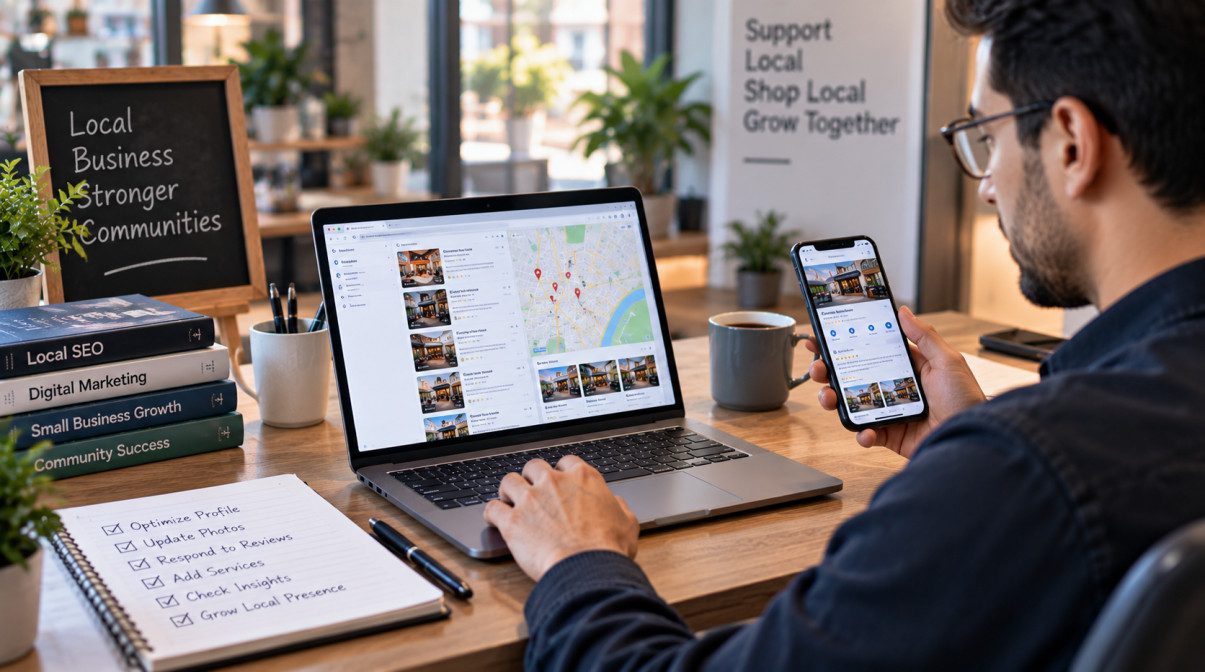
(Credit: Mr. David)
What Is Google Business Profile & Why It Still Matters in 2026
Google Business Profile (GBP) is the public business presence that helps an eligible business appear across Google Search and Google Maps with important information such as its business name, category, location, hours, website, services, photos, and customer reviews. It is more than a directory listing because it connects a business entity with the information customers use to discover, evaluate, and contact it.
In 2026, the value of GBP is increasingly tied to accuracy, relevance, consistency, and ongoing management. A verified Business Profile can strengthen a business’s local search presence, but verification by itself is not a guarantee of higher rankings. The real objective is to provide clear, trustworthy business information that remains consistent across the profile, website, local citations, and other authoritative sources.
What is a Google Business Profile?
A Google Business Profile is a business listing managed through Google’s Business Profile system that can appear in Google Search and Google Maps. It lets an eligible business present core information such as its name, category, location or service area, contact details, hours, website, services, photos, and customer reviews.
Table of Contents
ToggleWhat changed from Google My Business
Google My Business is the former name of the system now known as Google Business Profile. The terminology changed, but the underlying purpose remains familiar: businesses can manage how their information appears across Google’s local search ecosystem. Today, the profile is managed through Google’s current Business Profile tools rather than through the older Google My Business branding.
For businesses, the more important change is not the name itself but how much information can influence the overall search experience. Business categories, services, attributes, photos, reviews, hours, website information, and other profile details can all contribute to a clearer representation of the business. That makes profile accuracy and ongoing management more important than simply claiming a listing and leaving it untouched.
Who should create a Business Profile
A Google Business Profile is primarily useful for eligible businesses that serve customers in a defined geographic market and need to be discovered through local search or Google Maps. That includes many storefront businesses, professional practices, restaurants, retailers, contractors, and service-area businesses that interact with customers in eligible ways.
Service-area businesses can also be relevant when they travel to customers instead of operating a traditional storefront. In those cases, the profile setup needs to reflect the business’s actual operating model rather than creating a misleading address or location signal. The basic rule is simple: the profile should represent a real, legitimate business with accurate information and an authentic connection between the business, its ownership, and the locations or service areas it serves.
Who typically benefits from GBP?
Typical use cases include:
• Local storefronts and retail businesses
• Restaurants and customer-facing businesses
• Professional practices and service providers
• Contractors and mobile service businesses
• Service-area businesses that visit customers
• Multi-location businesses managing separate eligible locations
Does every business need a Google Business Profile?
Not every business needs or qualifies for a Google Business Profile. It is most relevant to eligible businesses that serve customers in a defined location or service area and benefit from visibility in local search and Google Maps. Businesses should use accurate, real-world information that reflects how and where they actually operate.
Why Google Business Profile remains important for local visibility, Google Maps, AI search, and customer trust
For local businesses, GBP provides a central place where customers can encounter essential business information during discovery. A complete profile can communicate the business category, services, location or service area, opening hours, website, photos, and customer feedback in a format designed for local search. This makes profile completeness, business information accuracy, relevant categories, authentic reviews, and ongoing profile maintenance practical parts of a broader local SEO strategy.
Google Maps is especially important for businesses competing for nearby customers. Local visibility depends on more than having a verified listing; Google’s local ranking system considers factors such as relevance, distance, and prominence, while the broader quality of a business’s online presence can support clearer entity understanding and local authority. Consistent information across the Business Profile, website, local citations, and other trusted sources can reduce ambiguity about the business and its location.
The same principle matters as search becomes more conversational and AI-driven. AI search engines, answer engines, and other information retrieval systems need reliable context about entities and their relationships. A consistent business name, location, category, services, website, and supporting structured information can make the business easier for search systems to understand as a distinct entity. This does not mean a Business Profile guarantees inclusion in AI answers; rather, it becomes one part of a wider digital presence that should remain accurate, authoritative, and consistent.
Does verifying a Google Business Profile guarantee higher local rankings?
No. Verification confirms that the business can manage its profile, but it does not guarantee a higher position in Google Maps or the Local Pack. Local visibility is influenced by factors such as relevance, distance, and prominence, along with the quality and consistency of the business’s broader online presence.
Before You Verify Your Google Business Profile
Before starting Google Business Profile verification, make sure the business information you submit accurately represents the real business and that you have access to the account managing the profile. Verification is intended to establish business ownership and legitimacy, so inconsistencies in the business name, location, contact details, or supporting information can create unnecessary verification problems.
A few minutes of preparation can also make the verification workflow easier. Confirm your business eligibility, decide whether the business operates from a customer-facing location or as a service-area business, and gather the information or documentation that may be relevant to the verification method Google makes available to you.
Who is eligible
Eligibility should be established before you begin verification. The profile should represent a legitimate business that can be accurately described through its business identity, operating model, location or service area, and customer-facing activity. The information used during setup should be truthful and consistent with how the business actually operates.
This distinction is particularly important for service-area businesses. A business that travels to customers should not treat its profile like a storefront simply to create a stronger location signal. Its profile setup should reflect the actual service model and the areas it legitimately serves.
Can a service-area business verify a Google Business Profile?
Yes, a service-area business can be relevant for Google Business Profile verification when it meets the applicable eligibility requirements. Its profile should accurately represent that it serves customers in defined service regions rather than presenting a misleading storefront or location.
Business information you'll need
Prepare the core business information before opening the verification workflow. At minimum, review the details that establish the business identity and help customers understand what the business does and where or how it operates. These include the business name, primary category, address or service area, phone number, website URL, business hours, and other profile details that accurately describe the business.
Consistency matters here. Where applicable, the information on the Business Profile should align with the business website and trusted local citations rather than presenting conflicting versions of the same business entity. This creates a clearer information trail for customers and search systems and can also help prevent avoidable profile or verification issues.
Information to Check Before Verification
| Information | What to check | Why it matters |
|---|---|---|
| Business name | Use the real business identity consistently. | Supports profile accuracy and entity consistency. |
| Primary category | Choose the category that accurately represents the business. | Helps establish business classification and relevance. |
| Address or service area | Reflect how the business actually serves customers. | Supports location accuracy and eligibility. |
| Phone number | Check that the contact information is accurate. | Supports consistent business information. |
| Website URL | Use the relevant business website. | Connects the profile with the wider digital presence. |
| Business hours | Confirm regular and applicable special hours. | Helps customers receive accurate operating information. |
| Supporting documentation | Keep relevant business documentation available when needed. | May support ownership or verification review. |
What information do I need to verify my Google Business Profile?
You should have accurate business information ready, including the business name, primary category, address or service area, phone number, website URL, business hours, and any relevant business documentation. The exact verification information or evidence requested can depend on the verification method made available for the profile.
Physical location vs Service Area Business
The business model affects how the profile should represent the business. A customer-facing business with a legitimate location can use its applicable location information, while a service-area business should reflect the areas it actually serves. The important distinction is accuracy: the profile should describe the real operating model instead of creating an artificial address or location signal.
Before verification, confirm which model best represents the business and keep the corresponding information consistent across the Business Profile, website, and other trusted business listings. This supports location accuracy, entity consistency, and a clearer local search context without relying on location spam or misleading information.
Customer-facing location: Use information that accurately represents the location where customers interact with the business.
Service-area business: Represent the business according to the areas it actually serves rather than inventing a storefront location.
Common mistakes before verification
Most avoidable verification problems begin before the verification request is submitted. Common issues include inaccurate business information, inconsistent contact details, unclear ownership, a location that does not reflect the actual business model, or information that conflicts with the business website and other listings.
Avoid trying to manipulate the process with keyword-stuffed business names, misleading locations, duplicate profiles, fake engagement, or other practices that can undermine profile integrity. The goal is to establish a credible, compliant Business Profile that accurately represents the business entity and can be maintained over time.
Pre-Verification Mistakes to Avoid
Before selecting a verification method, check that you are not:
• Using a misleading business name or location
• Providing inconsistent NAP information
• Creating duplicate Business Profiles for the same business
• Using an address that does not reflect the actual operating model
• Ignoring profile ownership or account-access issues
• Stuffing keywords into business information
• Using fake reviews, fake engagement, or other manipulative signals
How to Verify Your Google Business Profile (Step-by-Step)
Google Business Profile verification is the process of confirming that the business is legitimate and that you have the appropriate ownership or management access to its profile. The exact workflow can vary because Google may offer different verification methods depending on the profile and business circumstances.
Start by claiming or creating the correct Business Profile, check that the submitted business information is accurate, and then complete the verification method Google provides. Keep the information consistent throughout the process, because business identity, ownership confirmation, location details, and verification status all form part of the verification workflow.
Claim or create your Business Profile
Before verification can be completed, make sure you are working with the correct Business Profile. If the business already has a profile, the first task is to claim it and establish the appropriate ownership or management access. If no profile exists, create the profile using the real business information rather than creating a duplicate listing.
Check the business name, location or service area, primary category, phone number, and website before continuing. A clean starting point makes the later verification workflow easier to manage and reduces the chance of conflicting business information or ownership problems.
Complete your business information correctly
Review the profile information before selecting a verification method. The business name, address or service area, phone number, website URL, category, and other available details should accurately represent the business. Where applicable, keep these details consistent with the business website and trusted business listings so the same business entity is represented consistently across the web.
Avoid making changes simply to influence verification or local visibility. The strongest approach is to submit authentic business information that reflects the real operation of the business and its customer-facing presence.
Verification Readiness Check
| Profile detail | What to confirm | Verification readiness |
|---|---|---|
| Business name | Represents the real business identity. | Accurate and consistent |
| Primary category | Correctly describes the business. | Relevant to the business |
| Address or service area | Matches the actual operating model. | Accurate |
| Phone number | Provides valid business contact information. | Current |
| Website URL | Points to the appropriate business website. | Working and relevant |
| Business hours | Reflects current operating hours. | Up to date |
| Ownership access | Correct account has profile management access. | Confirmed |
Choose the verification method Google provides
After the profile is ready, open the verification workflow and review the method Google makes available for that business. The available option can vary, so do not assume that every business will receive the same verification route. Depending on the profile, the available methods described across the reviewed sources include video recording, live video, phone or SMS, email, postcard, and bulk verification for eligible multiple locations.
Choose the offered method carefully and follow its instructions rather than trying to substitute another method that is not presented. The goal is to provide the evidence or confirmation requested by Google and complete the verification workflow without introducing conflicting information.
Video verification
Video verification requires you to record evidence that helps establish the business’s identity, location, or operation according to the instructions shown during the verification process. Before recording, review the requirements and plan what you need to show so the video is clear and complete. Avoid blurry footage, missing evidence, or information that conflicts with the Business Profile.
Use a stable mobile connection and record the required areas or business evidence in one clear sequence where the instructions allow it. The reviewed competitors specifically emphasize preparing before recording, capturing the required business details, and submitting the completed video through the Business Profile workflow.
Live video verification
Live video verification is a real-time verification method in which the business owner or authorized representative joins a live video session and shows the business according to Google’s instructions. Prepare the location or business evidence before starting, make sure the surroundings are clearly visible, and have the relevant account and profile information available.
Because this is a live interaction, preparation matters more than improvisation. Use the exact instructions displayed for the profile and provide clear, authentic information that supports ownership confirmation and business legitimacy.
Phone verification
Phone or SMS verification can be used when Google makes that method available for the profile. The process generally involves opening the verification screen, selecting the offered phone option, receiving a verification code, and entering that code into the Business Profile workflow.
Use the legitimate business phone information associated with the profile and keep the contact details accurate. Do not assume phone verification will appear for every business, because verification availability can vary by profile.
Email verification
Email verification is another method that may be offered during the verification workflow. When available, select the email option shown for the profile and complete the verification using the code or instructions sent to the provided address.
Before starting, make sure the email account is accessible and that the information associated with the Business Profile accurately represents the business. Email verification should be treated as one available verification route rather than a method that every business can request manually.
Postcard verification
Postcard verification uses a mailed verification code when Google offers that method for the profile. Request the code through the verification workflow, wait for the postcard to arrive, and then enter the code in the appropriate verification field.
Keep the business address accurate before requesting the postcard. Avoid repeatedly changing the address during the process, because inconsistent location information can make the verification workflow harder to manage. Competitor guidance also identifies a postcard that does not arrive as one of the common verification problems requiring troubleshooting.
Bulk verification
Bulk verification is intended for businesses managing multiple eligible locations rather than a single local listing. The reviewed competitor material describes a workflow based on importing business locations, preparing the required spreadsheet information, uploading the completed template, and submitting it for bulk verification.
Before using bulk verification, standardize the location data, ownership information, categories, and other profile details across the business portfolio. A centralized process can reduce administrative errors, but each location still needs to represent a legitimate and distinct business location.
Which verification method should I use for my Google Business Profile?
Use the verification method Google makes available for your specific Business Profile. Depending on the profile, the available method may include video, live video, phone or SMS, email, postcard, or bulk verification for eligible multiple locations. The available options can vary, so follow the verification instructions shown inside your profile rather than assuming a particular method will always be offered.
How long verification usually takes
Verification time depends on the method and the review process associated with the Business Profile. The reviewed competitor material describes different workflows, including mailed postcard delivery and review periods after submitted verification evidence. Some verification cases may move quickly, while others can remain pending while Google reviews the submitted information.
Do not treat a fixed number of days as a guarantee. Instead, monitor the verification status in the Business Profile and follow any additional instructions or review requests that appear.
How to check your verification status
Check the Business Profile account or verification workflow for the current status after submitting your verification request. Depending on the stage of the process, you may see that verification is pending, completed, or requires additional action. Keep an eye on the profile for instructions, approval notifications, or requests for further verification information.
If the status remains unresolved, avoid creating a replacement listing just because the original verification is taking longer than expected. First review the verification information, check for inconsistencies, and use the available Google Business Profile support resources when the profile indicates that additional assistance is required.
How do I know if my Google Business Profile has been verified?
Your Business Profile’s verification status will indicate whether verification has been completed or whether additional action is required. Check the Business Profile account for the current status, approval notification, or any instructions requesting further verification information.

(Credit: Mr. David)
Final Thoughts
A Google Business Profile should be treated as an active part of your local digital presence, not simply as a listing that needs to be verified once. The practical foundation is straightforward: establish legitimate ownership, keep business information accurate, choose relevant categories, maintain useful customer-facing information, and connect the profile with a credible website and consistent local signals.
Verification gives you control of the profile, but sustainable local visibility depends on what you do after verification. Regular maintenance, authentic customer reviews, relevant profile information, consistent business identity, and meaningful performance measurement create a stronger foundation for local search today while also preparing the business for an increasingly semantic and AI-powered search environment.
Key takeaways
The most important lessons from this guide are simple:
1. Verify the real business and maintain legitimate profile ownership.
Verification establishes control of the Business Profile, but it should not be confused with a guaranteed ranking advantage.
2. Accuracy comes before optimization.
Keep the business identity, category, location or service area, phone number, website, hours, services, and other important information accurate and consistent.
3. Relevance, distance, and prominence remain the core local ranking concepts.
Businesses can improve the signals they control, but they cannot fully control factors such as searcher distance or changes in local competition.
4. Build trust with authentic information and customer activity.
Genuine reviews, useful business information, credible website content, local citations, and consistent entity signals are more sustainable than manipulative tactics.
5. Think beyond the profile itself.
Google Business Profile, Google Maps, the business website, structured data, local citations, and other trusted sources should communicate the same legitimate business entity clearly.
Is verifying a Google Business Profile enough to improve local rankings?
No. Verification establishes ownership or management control of the profile, but it does not guarantee higher local rankings. Local visibility depends on broader factors such as relevance, distance, and prominence, together with the accuracy, consistency, and quality of the business’s wider local presence.
30-day action plan
Instead of trying to change everything at once, use the next 30 days to establish a clean Google Business Profile workflow. Start with accuracy and compliance, then improve customer-facing information, and finally build a repeatable measurement and maintenance process.
Google Business Profile 30-Day Action Plan
Use this sequence to move from a verified profile to a maintained and measurable local presence.
| Time | Priority | Actions |
|---|---|---|
| Days 1–7 | Accuracy & compliance | Review business information, ownership, primary category, address or service area, phone number, website URL, business hours, and profile consistency. |
| Days 8–14 | Profile completeness | Review services, products, attributes, photos, customer-facing features, and other relevant profile fields. |
| Days 15–21 | Trust & local presence | Build an authentic review process, respond to customer feedback, check local citations, and align the Business Profile with the business website. |
| Days 22–30 | Measurement & maintenance | Review Performance Insights, relevant search behavior, website activity, conversions, UTM tracking, and establish a recurring profile-maintenance routine. |
What should I do first after verifying my Google Business Profile?
First, confirm that the profile accurately represents the real business. Review the business information, primary category, address or service area, phone number, website, hours, services, and ownership access. Then improve profile completeness and establish a regular process for reviews, updates, performance measurement, and maintenance.
local search ecosystem, Google Business Profile, Google Maps, business website, LocalBusiness Schema, local citations, customer reviews, trusted references, legitimate business entity, AI-powered search, information retrieval systems, entity consistency, useful information
This is the cleanest final GEO implementation because it ties together the article’s entity relationships without adding a forced “GEO” subsection. The master file specifically groups these concepts around AI search, entity-based SEO, structured data, Knowledge Graph, trusted information, and future-proof optimization.
Frequently Asked Questions (FAQ)
Verification
Google Business Profile verification can vary by business and by the verification method made available for the profile. These answers cover the most common questions about verification, ownership, verification methods, timing, and support while keeping the distinction between verification and ranking clear.
How do I verify my Google Business Profile in 2026?
To verify your Google Business Profile, first claim or create the correct profile and make sure the business information is accurate. Then complete the verification method Google provides for that profile, such as video, live video, phone or SMS, email, postcard, or an applicable bulk-verification workflow. The available options can vary by profile, so follow the instructions shown in your Business Profile.
Why is Google asking me to verify my business again?
Google may request reverification when it needs to confirm the business identity, ownership, or updated profile information again. Review recent business information changes, ownership details, and the profile’s verification status, then follow the verification instructions provided. Reverification should be treated as a profile-validation step, not automatically as a sign that the business has done something wrong.
Which verification method does Google prefer now?
The supplied source material does not establish one universal verification method that Google prefers for every business. The practical approach is to use the verification method Google makes available for your specific profile and follow its instructions. Depending on the profile, options may include video, live video, phone or SMS, email, postcard, or bulk verification.
Can I verify my business without a physical storefront?
A traditional storefront is not necessarily required for every eligible business. Service-area businesses may also use a Google Business Profile when they meet the applicable eligibility requirements and accurately represent how they serve customers. The profile should reflect the real operating model rather than using a misleading address or location simply to obtain a stronger local signal.
Can I verify a service-area business?
Yes, an eligible service-area business can have a Google Business Profile. Its profile should accurately represent the areas it serves and the way the business operates. Do not create a false storefront location or use an address that does not reflect the legitimate business. Business eligibility, service regions, ownership, and verification requirements still apply.
How long does Google Business Profile verification take?
Verification time can vary according to the verification method, review process, and profile circumstances. The supplied sources describe different workflows, including postcard delivery and review of submitted verification evidence, rather than one universal timeframe. Monitor the verification status and follow any additional instructions instead of treating a specific number of days as a guaranteed approval time.
Why was my verification rejected?
Verification can be rejected when the submitted information or evidence does not adequately support the business identity, ownership, location, or applicable verification requirements. Review the business information, ownership evidence, address or service-area details, and submitted verification material for inconsistencies. Correct the underlying issue and follow any additional instructions before submitting another verification request.
Can I change my verification method?
The supplied sources indicate that verification availability can vary and that Google may select which methods are available for a particular profile. Do not assume that every alternative method can be selected manually. First check the verification options currently shown in the profile and use any available support process if the appropriate method is not presented.
What if no verification methods are available?
First check the Business Profile’s verification status and confirm that the business information and ownership details are accurate. If no verification option is available, use the Google Business Profile support resources associated with the profile and follow any instructions for additional review or ownership validation. Creating a duplicate profile to obtain another verification method can create additional profile-management problems.
How do I contact Google Business Profile support?
Use the official Google Business Profile Help and support resources available for your account or profile issue. Provide the relevant profile information, describe the verification or ownership problem clearly, and follow the requested review process. For complicated cases involving suspension, ownership conflicts, or unavailable verification, keep your business information and supporting evidence consistent throughout the support request.
Rankings & Optimization
Verification gives you control of a Business Profile, but it does not guarantee higher rankings. These questions focus on the relationship between verification, Google Maps, the Local Pack, profile optimization, reviews, categories, website quality, and the wider local search ecosystem.
Does verification improve Google Maps rankings?
Verification should not be treated as a guaranteed Google Maps ranking boost. It establishes or confirms the ability to manage the Business Profile, while local visibility is influenced by broader concepts such as relevance, distance, and prominence. Profile accuracy, category relevance, reviews, website quality, and other local signals form part of the wider optimization context.
Is verification enough to rank in the Local Pack?
No. A verified Business Profile is not automatically guaranteed a position in the Local Pack. Verification is a foundation for managing the profile, while local ranking involves broader considerations such as relevance, distance, and prominence. A business also needs accurate information, appropriate categories, credible local signals, and a useful overall digital presence.
What actually matters for Google Business Profile rankings in 2026?
The core local ranking concepts are relevance, distance, and prominence. Businesses can also improve the quality and consistency of the information surrounding the profile through accurate business details, relevant categories, authentic reviews, a useful website, local citations, consistent entity information, and sound local SEO practices. No single profile field guarantees a higher ranking.
How often should I update my Business Profile?
Update the profile whenever important business information changes and review it regularly as part of ongoing profile maintenance. Check business hours, categories, services, products, attributes, photos, reviews, website information, and other customer-facing details. A recurring monthly review is a useful maintenance routine, while urgent changes should be made as soon as the underlying business information changes.
How many photos should I upload?
The supplied sources emphasize high-quality, current, authentic business photography but do not establish one universal number that every profile must use. Prioritize useful images that accurately represent the storefront, interior, products, team, or services where relevant. Quality, relevance, authenticity, and freshness are more useful principles than uploading a large number of repetitive photos.
How often should I publish Google Posts?
There is no universal posting frequency established in the supplied material as a guaranteed ranking requirement. Use Google Posts for useful business updates such as announcements, offers, events, or other relevant information. Publishing repetitive content simply to create activity is less useful than maintaining accurate, current information that helps customers understand the business.
How many reviews do I need before rankings improve?
There is no reliable universal review number in the supplied sources that guarantees a ranking improvement. Focus instead on authentic customer reviews, review quality, recency, consistency, and thoughtful owner responses. Reviews are part of the broader reputation and trust layer, so the goal should be genuine customer feedback rather than reaching an arbitrary review threshold.
Which business category should I choose?
Choose the primary category that most accurately represents the main business, then add relevant secondary categories only when they genuinely describe additional aspects of the business. Category selection should reflect the actual business specialization rather than being used to target unrelated searches. Accuracy and relevance are more important than selecting as many categories as possible.
Does LocalBusiness Schema help my GBP rankings?
LocalBusiness Schema can provide structured information about the business on its website and support clearer entity understanding, but it should not be presented as a guaranteed direct Google Business Profile ranking boost. Use accurate structured data that reflects the visible business information and connects naturally with the Business Profile, website, and wider business entity.
Does having a website still matter if I have a Business Profile?
Yes. A Business Profile and a business website serve different purposes. The profile supports local discovery and customer-facing business information, while the website can provide deeper information, local landing pages, services, content, conversion paths, and supporting structured data. Keeping the Business Profile and website consistent also helps establish a clearer representation of the same business entity.
AI Search & Future
AI-powered search is expanding the ways people discover and evaluate businesses. The most defensible strategy is not to assume that a particular AI system will use or display every Business Profile, but to maintain accurate, consistent business information that can be understood across search, structured data, and the wider digital ecosystem.
How does Google AI use Business Profile information?
The supplied material does not establish a single public rule describing exactly how Google AI uses every Business Profile field. More broadly, AI-powered search depends on information retrieval, entity recognition, semantic understanding, and contextual relationships. Accurate Business Profile information can therefore form part of the wider information ecosystem used to understand a business entity, but specific AI treatment is not guaranteed.
Can Google Business Profile appear in AI Overviews?
A Business Profile is part of Google’s wider business-information ecosystem, but the supplied sources do not establish a guaranteed display format or guarantee that a particular profile will appear in an AI Overview. Businesses should focus on accurate profile information, consistent entity signals, a credible website, structured data, and trustworthy supporting sources rather than optimizing for a guaranteed AI placement.
Will AI search replace Google Maps rankings?
The supplied sources do not establish that AI search will replace Google Maps rankings. Instead, they describe an evolving search ecosystem involving Google Maps, AI-powered local search, conversational search, zero-click answers, and other discovery experiences. Businesses should prepare for multiple search surfaces rather than assuming that one will completely replace another.
How should businesses prepare for AI-powered local search?
Start with the fundamentals: keep the Business Profile accurate, maintain entity and NAP consistency, use relevant categories and services, maintain a credible website, implement accurate LocalBusiness Schema where appropriate, build authentic reviews, and keep trusted local references consistent. The objective is to make the business entity easier to understand across search and information retrieval systems.
Multi-Location & Agencies
Managing multiple Business Profiles introduces additional ownership, consistency, access, and governance requirements. The key is to centralize management where appropriate while preserving accurate, location-specific information for every legitimate business location.
Can I manage multiple Business Profiles?
Yes, businesses and organizations with multiple eligible locations can manage multiple Business Profiles through appropriate account and management structures. Centralized profile management, location groups, administrator permissions, consistent workflows, and location-specific information can make multi-location operations easier to govern while preserving the identity of each legitimate location.
How does bulk verification work?
Bulk verification is designed for eligible businesses managing multiple locations. The supplied competitor material describes a workflow involving the appropriate Business Profile management area, preparing location data in the required spreadsheet format, uploading the information, and submitting it for verification. Eligibility and the exact workflow should be confirmed within the Business Profile system for the organization.
What is the best way to manage hundreds of locations?
For large location portfolios, use centralized profile management with clear ownership permissions, standardized workflows, location-specific data, NAP consistency, regular profile audits, and defined governance procedures. Avoid copying identical information across every location when the details should be location-specific. A scalable process should improve consistency without removing legitimate differences between individual locations.
How do agencies safely manage client Business Profiles?
Agencies should use appropriate manager permissions and profile-management access rather than taking unnecessary ownership of a client’s business identity. Establish clear access controls, documented workflows, profile audits, ownership procedures, and account-security practices. Keep client ownership transparent and maintain accurate information while following Google Business Profile guidelines throughout the relationship.
Troubleshooting
Troubleshooting should begin with the profile’s actual status rather than a guess about what caused the problem. Check verification status, business information, ownership, eligibility, recent changes, policy compliance, and profile consistency before deleting, duplicating, or substantially changing a listing.
Why is my Business Profile suspended?
A suspension can be associated with profile-integrity or guideline issues, including prohibited content, misleading business information, duplicate profiles, or other policy concerns identified during review. Start by reviewing the profile status and relevant guidelines, correct legitimate issues where possible, and use the applicable reinstatement or appeal process if one is available.
Why did my rankings drop after verification?
Verification itself should not be assumed to cause a ranking increase or decrease. A change in local visibility can occur alongside profile updates, review changes, local competition, search volatility, relevance, distance, prominence, or other local ranking signals. Compare the timing of the change with actual profile and business-information changes before assuming verification was the cause.
Why is my Business Profile not showing on Google Maps?
Possible causes include pending verification, profile restrictions or suspension, address validation issues, business eligibility problems, location relevance, or profile-indexing delays. Check the profile’s current status first and confirm that the business information accurately represents the real business. Avoid creating a duplicate listing until the status and underlying issue are understood.
Why are my edits not being published?
Business Profile edits can remain pending while they are reviewed or synchronized. Check the profile for a pending-edit or review status and confirm that the submitted business information follows the applicable guidelines. If an edit remains unresolved, review the information for inconsistencies and use the available support resources rather than repeatedly submitting conflicting changes.
Why are my reviews disappearing?
Reviews can be filtered or removed when they are identified as violating applicable review or content policies, including issues related to spam or inauthentic activity. Review filtering does not necessarily mean the business has done something wrong. Focus on authentic customer feedback, avoid review manipulation, and monitor review integrity rather than attempting to replace removed reviews artificially.
How do I recover a suspended Google Business Profile?
Start by identifying the suspension status and reviewing the applicable Google Business Profile guidelines. Correct any legitimate compliance problems, preserve evidence of the real business and ownership, and follow the available reinstatement or appeal process. Do not immediately delete and recreate the profile, because doing so may complicate the underlying profile, ownership, or business-identity issue.
What should I do if someone else owns my listing?
Do not create a duplicate Business Profile simply because another account currently controls the legitimate listing. Use the appropriate ownership-request or profile-access process and provide information that supports your legitimate relationship with the business if requested. Once access is resolved, review manager permissions and profile ownership so the account structure remains secure and properly governed.
How do I transfer Business Profile ownership?
Use the Business Profile management and ownership controls available for the listing to manage the appropriate primary-owner and manager permissions. Ownership transfers should preserve business continuity and account security, so confirm who should retain ownership and who should receive management access before changing permissions. For disputed ownership situations, use the appropriate ownership-request or support process.
Can I delete and recreate my Business Profile?
Recreating a profile should not be the first response to a verification, ownership, suspension, or ranking problem. First identify the underlying issue and use the applicable verification, ownership, support, or reinstatement process. Deleting and recreating a legitimate listing can create duplicate-profile, verification, business-identity, and continuity problems when the original issue has not been resolved.
Is Google Business Profile completely free?
The supplied material describes Google Business Profile as a free business listing and does not present a monthly listing fee. Separate activities such as advertising, third-party management software, or professional local SEO services are different from the Business Profile itself. Before publication, verify any specific pricing or paid-feature details against Google’s current official documentation.