
Updated: Sep, 2026 | By Mr. David
Linux Laptops with Long Battery Life Suggested for Travel (2026 Buyer's Guide)
Find Linux laptops with long battery life for flights, trains, remote work, coding, and everyday travel. This 2026 guide focuses on real-world battery expectations, Linux compatibility, portability, performance, charging, and the features that matter when you are away from an outlet.
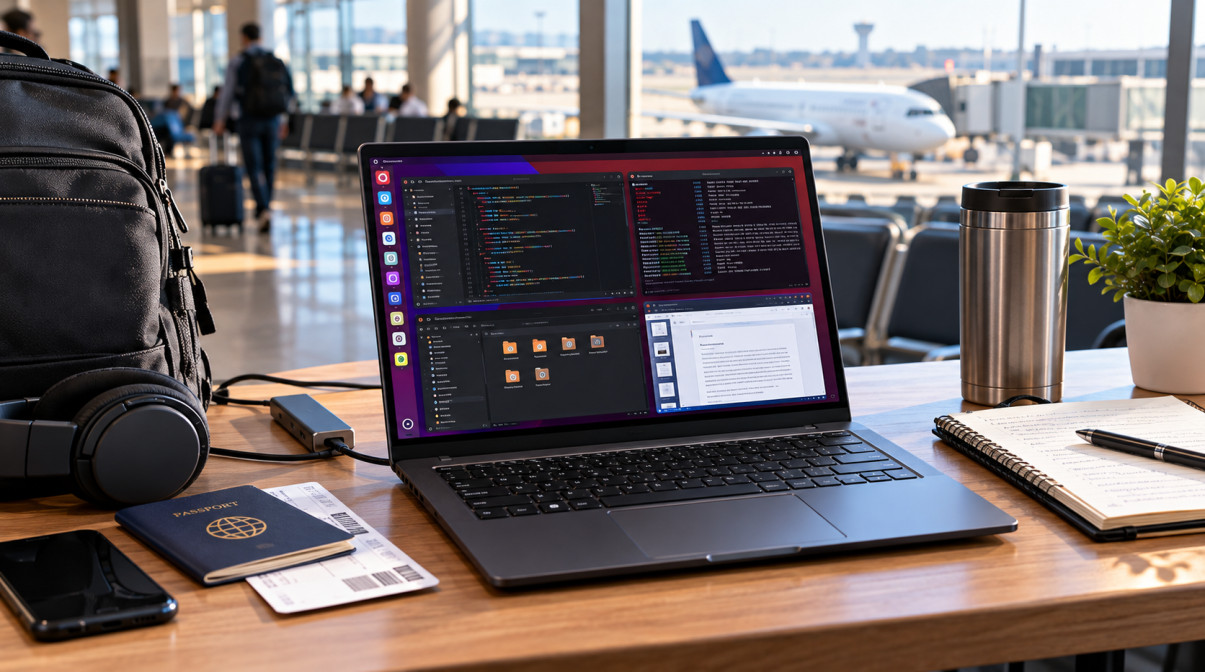
(Credit: Mr. David)
Long travel days expose the difference between a laptop that has a large battery and one that is genuinely efficient on Linux. A machine may advertise impressive endurance, but actual runtime can change with the processor, display, Linux distribution, drivers, background services, brightness, workload, and power-management settings.
For travelers, battery life is only part of the decision. A practical Linux travel laptop also needs dependable Wi-Fi and Bluetooth, reliable sleep and resume, USB-C charging, a comfortable keyboard, a manageable weight, and hardware that works properly with your chosen distribution. Developers may also need enough performance for coding, containers, terminals, and multitasking without carrying a heavier workstation.
This guide compares the factors that matter most when choosing a long-lasting Linux laptop for travel across the USA, UK, Canada, Europe, and other English-speaking markets, with attention to real-world use rather than headline battery claims.
What makes a Linux laptop good for long-distance travel?
A good Linux travel laptop combines strong real-world battery endurance with efficient hardware, reliable Linux drivers, low travel weight, USB-C charging, dependable sleep and resume, and enough performance for the user’s workload. Battery capacity alone does not determine actual runtime.
Quick Verdict — Best Linux Laptops With Long Battery Life at a Glance
Looking for the right Linux laptop for travel often comes down to a few practical factors: how long it can stay away from an outlet, how well its hardware works with Linux, how much it weighs, and whether it still has enough performance for your workload. The models below are selected to cover different travel needs, from lightweight coding machines and business laptops to Linux-first systems and higher-performance mobile workstations.
Table of Contents
ToggleTop Picks by Travel Use Case
Different travelers need different balances of endurance, weight, Linux support, and performance. For example, a developer may prioritize an efficient ultraportable, while a business traveler may place more emphasis on keyboard quality, connectivity, and dependable hardware support. The quick comparison below maps the selected laptops to those practical travel priorities.
Which Linux laptops are worth considering for long battery life while traveling?
Linux travel options worth considering include lightweight models such as the Framework Laptop 13 and System76 Lemur Pro, business-oriented systems such as the ThinkPad X1 Carbon, and larger or higher-performance options such as the ASUS Zenbook S16 and Framework Laptop 16. Actual Linux battery runtime depends on hardware configuration, distribution, drivers, display settings, and workload.
Quick Comparison: Linux Laptops for Long-Battery Travel
| Laptop | Travel Focus | Battery Focus | Weight / Portability | Linux Support | Best For |
|---|---|---|---|---|---|
| Framework Laptop 13 | Portable, repairable travel system | Long-runtime productivity focus | Ultraportable | Linux-focused configurations available | Developers and Linux power users |
| Lenovo ThinkPad X1 Carbon Gen 13 | Business travel | Efficiency-focused | Very lightweight | Established Linux support | Professionals and frequent business travelers |
| System76 Lemur Pro | Linux-first portability | Maximum-endurance focus | Ultraportable | Linux-first | Developers and Linux-first travelers |
| Dell XPS 13 | Premium compact travel | Efficiency-focused | Compact and lightweight | Linux-compatible configurations | Premium ultraportable users |
| ASUS Zenbook S16 | Large-screen travel | Efficiency and capacity focus | Thin large-screen design | Linux installation requires configuration checks | Remote workers and developers needing more screen space |
| LG Gram 14 | Lightweight all-round travel | High-capacity battery focus | Very lightweight | Linux installation and hardware checks recommended | Students and frequent travelers |
| Framework Laptop 16 | Performance-heavy mobile work | Performance/endurance balance | Heavier than ultraportables | Strong Linux-oriented ecosystem | Developers and power users |
Final Verdict
Choosing a Linux laptop for travel ultimately comes down to the balance between battery runtime, portability, Linux compatibility, and the performance your workload requires. No single machine is ideal for every traveler. A lightweight developer may value efficiency and keyboard comfort, while a frequent flyer may prioritize low weight and charging convenience. The choices below summarize where each reviewed laptop fits best.
Best Overall Linux Travel Laptop
The Framework Laptop 13 is the most balanced choice in this guide for users who want a portable Linux system that can handle development, productivity, and everyday travel. Its strongest appeal is the combination of a compact form factor, Linux-friendly ecosystem, upgradeability, and practical performance. It is particularly suitable for travelers who value long-term flexibility as much as immediate battery endurance.
Best for Long Battery Runtime
The System76 Lemur Pro is the most directly aligned with the battery-focused goal of this guide. Its Linux-first approach and lightweight travel orientation make it relevant to users who spend long periods away from an outlet. Its suitability becomes stronger for lighter productivity and development workloads where maximum workstation performance is not the primary requirement.
Which Linux laptop is the best choice for long battery life while traveling?
The System76 Lemur Pro is the most directly focused on the long-battery Linux travel use case in this guide, particularly for users who prioritize low weight and endurance. Actual runtime still depends on the hardware configuration, Linux setup, display settings, wireless activity, and workload.
Best for Developers
The Framework Laptop 13 is the strongest fit for developers who want portability without giving up a flexible Linux development environment. It suits terminal-heavy work, coding, documentation, multitasking, and projects that benefit from upgradeability. Developers with substantially heavier workloads may instead need the additional performance headroom of the Framework Laptop 16.
Best Business Travel Option
The Lenovo ThinkPad X1 Carbon Gen 13 is the most natural fit for business-oriented travel in this guide. Its emphasis on a lightweight professional form factor, keyboard-focused productivity, connectivity, and mobile work makes it suitable for professionals moving between airports, offices, hotels, and meetings. Exact Linux hardware support should still be checked for the chosen configuration.
Best Lightweight Choice
The LG Gram 14 is the clearest choice for travelers who place carrying weight high on the priority list. Its lightweight design can make frequent movement easier while still providing a larger workspace than very compact notebooks. Linux buyers should verify the exact hardware configuration, especially wireless, webcam, audio, graphics, and suspend compatibility.
What is the best type of Linux laptop for frequent travel?
Frequent travelers generally benefit from a lightweight laptop with dependable Linux hardware support, good real-world battery runtime, USB-C charging, reliable Wi-Fi, and a compact charger. The ideal choice also depends on whether the user prioritizes coding performance, screen size, business productivity, or minimum carrying weight.
Best Premium / Performance Choice
For users who need more performance while traveling, the Framework Laptop 16 is the most relevant option in this guide. It provides a more performance-oriented platform for demanding development, local workloads, containers, virtual machines, and other intensive tasks. The trade-off is greater size, weight, and potentially higher power consumption than a typical ultraportable.
Final Decision Summary
The right Linux travel laptop depends on the compromise you are willing to make. Choose the Framework Laptop 13 for the broadest balance of portability and Linux-focused flexibility, the System76 Lemur Pro when battery endurance is the central priority, the ThinkPad X1 Carbon Gen 13 for business travel, the LG Gram 14 when low weight matters most, and the Framework Laptop 16 when heavier workloads justify a larger machine. The Dell XPS 13 remains the compact premium alternative, while the ASUS Zenbook S16 fits travelers who need more screen space.
Frequently Asked Questions (FAQ)
Choosing a Linux laptop with long battery life can raise practical questions about real-world runtime, Linux compatibility, distributions, charging, travel, and performance. These frequently asked questions address the most common buying and setup concerns so you can compare battery endurance and portability with the Linux features that matter for your particular workload and travel routine.
Battery Life and Travel
Battery life is the main reason many travelers search for a Linux laptop, but advertised endurance does not always match everyday Linux use. These questions explain how to interpret runtime and what to expect during long journeys.
Which Linux laptop has the longest real-world battery life?
There is no universal answer without comparing the same laptops under the same Linux configuration and workload. Real-world runtime depends on the processor, display, battery capacity, Linux power management, drivers, firmware, wireless activity, brightness, and workload. A manufacturer’s maximum figure should therefore be distinguished from an independently measured Linux result.
How many hours of battery life should a Linux laptop have for travel?
The right amount depends on how you travel and what you do. A traveler who mainly browses and writes may need less endurance than a developer compiling software or running containers. Compare realistic Linux runtime against the longest period you normally expect to be away from a charger, then consider charging options as a backup.
Can I get more than 10 hours of battery life with Linux?
Yes, some Linux laptops and configurations can deliver long runtimes, but a 10-hour figure should not be assumed for every laptop. Actual endurance varies with hardware, Linux distribution, display settings, drivers, firmware, power profile, wireless activity, and workload.
Does a larger battery always mean longer battery life?
No. Battery capacity indicates how much energy the battery stores, but runtime also depends on how efficiently the laptop uses that energy. An efficient processor and display can allow a laptop with a smaller battery to compete with a system that has a larger battery but higher power consumption.
Linux vs Windows Battery Runtime
Linux and Windows can produce different battery results on the same hardware because operating-system software interacts with drivers, firmware, graphics, background services, and power-management features. The questions below explain why those differences should be evaluated carefully.
Does Linux have better battery life than Windows?
Not universally. Battery life varies by laptop, processor, display, firmware, drivers, operating-system configuration, background activity, and workload. Linux can produce different runtime from Windows on the same hardware, but there is no general rule that one operating system always provides longer battery life.
Can I use a Windows battery-life claim to predict Linux battery life?
Not reliably. Manufacturer battery figures are produced under stated test conditions and may not represent a Linux installation. Treat the published figure as a reference point and consider Linux-specific hardware support, power management, display settings, wireless use, and workload when estimating practical runtime.
Why can the same laptop have different battery life on Linux?
The operating systems may use different drivers, power-management policies, background services, graphics behavior, scheduling, and firmware integration. Those differences can change how hardware enters low-power states and therefore affect battery consumption.
Linux Distribution and Power Management
Your Linux distribution can influence the software environment and power-management configuration, but battery life is still strongly dependent on the laptop itself. These questions cover the most common distribution and optimization concerns.
Which Linux distribution gives the best battery life?
There is no single distribution that guarantees the best battery life on every laptop. Ubuntu, Fedora, Pop!_OS, Linux Mint, Debian, and Arch Linux can all provide efficient mobile use when correctly configured. Kernel support, drivers, firmware, desktop environment, background services, and power settings may have a substantial effect on the final result.
Does the Linux desktop environment affect battery life?
Yes, it can. A desktop environment and its background services may influence processor activity, graphics usage, animations, and other power demands. However, the effect varies with the hardware and configuration, and display settings, drivers, firmware, applications, and workload can be equally important.
How can I make my Linux laptop battery last longer while traveling?
Use an appropriate power profile, reduce unnecessary screen brightness, limit background applications and browser tabs, avoid sustained high-performance settings when they are not needed, and confirm that suspend and resume work correctly. Disconnect unused peripherals and reduce wireless activity when practical.
Should I install TLP on every Linux laptop?
No. TLP can be useful on some systems, but modern Linux distributions may already provide their own power-management framework. Running overlapping tools can create configuration conflicts. Check what your distribution already uses and test changes individually before relying on them during travel.
Linux Hardware Compatibility
Battery endurance is only useful when the laptop’s essential hardware works reliably. Linux buyers should check compatibility for the exact model and configuration rather than assuming that every feature in a product family behaves identically.
What should I check before buying a laptop for Linux?
Check the exact processor and wireless hardware, graphics, webcam, microphone and audio, suspend/resume, firmware, external-display support, fingerprint hardware, and other features you depend on. Also look for current Linux driver and kernel support, manufacturer documentation, certification where available, and reliable community information for the exact model.
Are ThinkPads good Linux laptops for travel?
ThinkPad systems can be attractive for Linux travel because business-oriented models often emphasize keyboards, portability, connectivity, and professional workflows. However, Linux compatibility should be evaluated by exact model and hardware configuration rather than assuming every ThinkPad has identical support.
Does Linux certification guarantee that every laptop feature will work?
No. Certification or official Linux support is a useful compatibility signal, but specific hardware configurations and software versions can still affect individual features. Check the exact model, Linux distribution, kernel, drivers, firmware, and components you actually need.
Which Linux laptops support sleep and resume reliably?
Reliability depends on the specific hardware, firmware, kernel, drivers, and Linux configuration. Before traveling, test suspend and resume on your exact installation, especially if you use external displays, docks, Bluetooth devices, or other peripherals.
Display, Charging and Portability
For travel, the screen, charger, ports, and physical design can be almost as important as battery capacity. The following questions focus on the practical details that affect how easy a laptop is to carry and charge.
Does OLED reduce battery life on a Linux laptop?
OLED does not automatically mean shorter battery life. Power consumption depends on the panel, brightness, content, resolution, refresh rate, and laptop configuration. A high-resolution or high-refresh display can increase power demand, so compare the complete display configuration rather than panel type alone.
Does USB-C charging matter for a Linux travel laptop?
Yes, when the laptop supports the required USB-C Power Delivery input. A compatible USB-C charger can reduce the number of adapters you carry and make charging easier across airports, hotels, trains, and coworking spaces. Always verify the supported charging power and port capabilities.
What battery capacity is good for a long-battery Linux laptop?
There is no single watt-hour number that guarantees long battery life. Battery capacity should be evaluated alongside processor efficiency, display power consumption, software configuration, and workload. For travel, real-world runtime and charging convenience are more useful than capacity alone.
Developer and Productivity Workloads
Developers and advanced users often need more than simple browsing endurance. Coding, containers, virtual machines, compilation, multitasking, and remote-work applications can change power consumption significantly, so battery expectations should match the intended workload.
Which Linux laptop is suitable for developers who travel frequently?
A suitable developer travel laptop should balance Linux compatibility, processor performance, battery runtime, keyboard quality, portability, and upgradeability. A lightweight system such as the Framework Laptop 13 can suit developers whose workloads do not require workstation-class performance, while heavier workloads may justify a more powerful system.
Are Linux laptops good for remote work and video meetings?
Yes, provided the chosen hardware works properly with Linux. Remote workers should verify webcam, microphone, speakers, Wi-Fi, Bluetooth, external displays, suspend/resume, and browser or conferencing compatibility before relying on the laptop for travel.
Do containers and virtual machines reduce Linux battery life?
They can. Containers, virtual machines, compilation, and other sustained workloads can keep the processor active for longer and therefore increase power consumption. Developers should evaluate battery performance using the workload they actually expect to run rather than relying on light-use estimates.
International Travel and Regional Buying
A laptop that works well at home also needs to make sense across different travel environments and markets. Regional configuration, charging, warranty, availability, and accessories can affect the practicality of an international purchase.
Are Linux laptops with long battery life suitable for international travel?
Yes, provided the laptop has dependable Linux hardware support and a charging setup suitable for the trip. Weight, charger size, USB-C Power Delivery, battery endurance, Wi-Fi, and suspend/resume become particularly important when access to power and technical support may be limited.
Should I check regional differences when buying a Linux laptop in the USA, UK, Canada, or Europe?
Yes. Check the exact regional model, keyboard layout, charger configuration, warranty, retailer availability, shipping, and return policy. Two listings from the same laptop family can have different configurations or support conditions depending on the market.
What is the best Linux laptop for a long international flight?
There is no single choice for every traveler. A useful long-flight laptop should combine strong real-world battery endurance, low carrying weight, a manageable charger, comfortable keyboard and display, reliable Linux support, and enough performance for the work you plan to do without a power outlet.
Long-Term Ownership
Frequent travelers often keep their laptops for several years, so repairability, upgrades, support, and battery maintenance can affect the overall value just as much as the initial battery result.
Are Framework laptops good for long-term Linux use?
Framework systems are particularly relevant to users who value modularity, repairability, and upgrade options alongside Linux use. The practical benefit depends on the particular model and configuration, so buyers should still verify current hardware compatibility and the components they plan to use.
Does battery health matter if a laptop already has long battery life?
Yes. Battery capacity gradually changes with usage, charging behavior, age, and operating conditions. Keeping the system cool, using supported battery-care features where available, and following the manufacturer’s charging guidance can help maintain useful battery performance over longer ownership.
The most dependable way to choose a Linux laptop for travel is to compare real-world battery expectations with your actual workload, then verify Linux hardware support, charging, portability, and long-term ownership factors. Battery capacity and manufacturer claims are useful starting points, but they should not replace configuration-specific compatibility checks and realistic runtime expectations.